 7 technology tips parents can incorporate into the family routine to promote responsible use of technology in the learning process.
1. Technology can be part of but should never be a substitute for hands-on, face- to-face conversation and learning.
2. Keep books around. If you want to invest in an e-reader for your children, get a Kindle Paperwhite or another e-ink device that is only meant for reading.
3. Don’t be afraid to get your child an old-fashioned cell phone that makes calls and sends texts and does little else.
4. Set times for technology use at home. Keep them yourself (don’t be a hypocrite).
5. Put computers, game consoles, and digital devices with internet connections in common areas where they can be monitored by a parent or older sibling. When not being used, store them out of sight. For example, put laptops away in desk drawers.
6. Buy your child a notebook that is their own special notebook for writing and drawing. Encourage them to share stories or ideas with you only when they want to.
7. Ask your children what they’re doing. You might be surprised that they’re happy to tell you.
Looking for more technology tips? Contact us to learn more about our digital mentorship programs.
By Eric Sanders, Private Tutor
 There was a time when handwriting was a major part of the elementary curriculum, and cursive handwriting was explicitly instructed. We still find some handwriting instruction, particularly in the primary grades, but cursive instruction is becoming more and more rare. Why? The resounding reason is that cursive handwriting is considered an obsolete skill. Schools are also pressured to prioritize subjects and instructional time [based on what’s tested], so if science isn’t going to make the cut, certainly cursive handwriting will lose out as well. Whether you agree that cursive handwriting is an obsolete skill or not, I think we can all agree that
 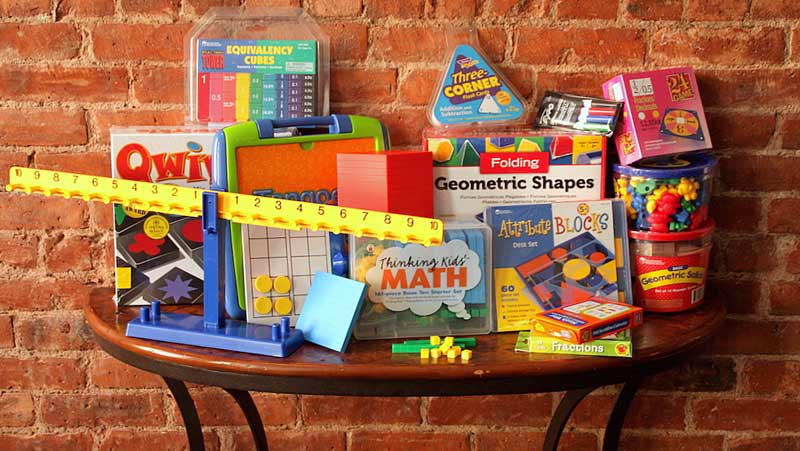 I LOVE using Hands-On Equations with my students ranging from grades 3 through high school. These are fantastic materials, and now
 To iPad, or not to iPad, that is the question: While some educators believe that these recent developments in technology act as distractions or take students further from social interaction, I disagree.